The Recipe dialog is where recipe are created or modified.
This dialog is in the form of a property sheet which has a number of individual property pages. Each property page presents different details of the recipe being created or modified.
•General Details Page - Displays general information on the recipe such as it's name, description, author and category assignments.
•Component Ingredients Page - Lists/edits the ingredients and sub-recipes by the recipe. This page also shows the calculated cost and profitability of the recipe.
•Method Page - This is where you enter/edit the recipe's method (preparation/cooking instructions).
•Picture Page - Displays any graphics image (picture) associated with the recipe.
•Mise-en-place Page - Displays the structure of the ingredient and recipes used by the recipe (including sub-recipes) and also lists total ingredient and sub-recipe requirements to produce the recipe.
•Unit Conversions Page - Lists any unit conversion factors associated with the recipe.
Displaying the Recipe dialog
The Recipe dialog can be launched from a number of different locations:-
•Clicking the Edit button in the Recipe page.
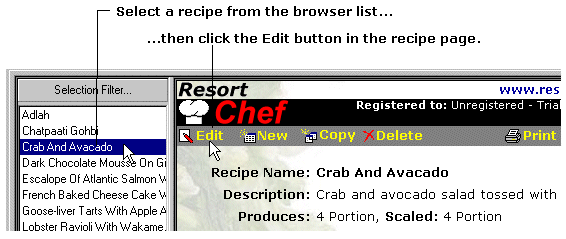
•Double clicking a recipe in the recipe browser list.
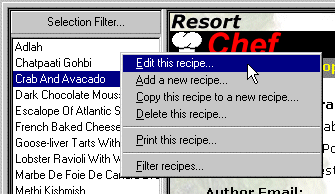
•Right clicking a recipe in the recipe browser and selecting the Edit this recipe... option from the resulting popup menu.
•Clicking the  button wherever it appear in another dialog.
•Recipe dialog - General Details page •Recipe dialog - Component Ingredient page •Recipe dialog - Mise-en-place page •Recipe dialog - Unit Conversions page
|
|

